Apple didn't reinvent anything with the newest MacBook Air. It didn't need to. The MacBook Air has been the default recommendation for years, and the M5 chip doesn't change that reputation. What it does change is where this laptop actually sits in Apple's lineup, now that the cheaper MacBook Neo exists.
So here's the real question this review has to answer. Is the MacBook Air still worth the extra money over Apple's new budget option? Mostly, yes. But the gap isn't as obvious as it used to be.
Design
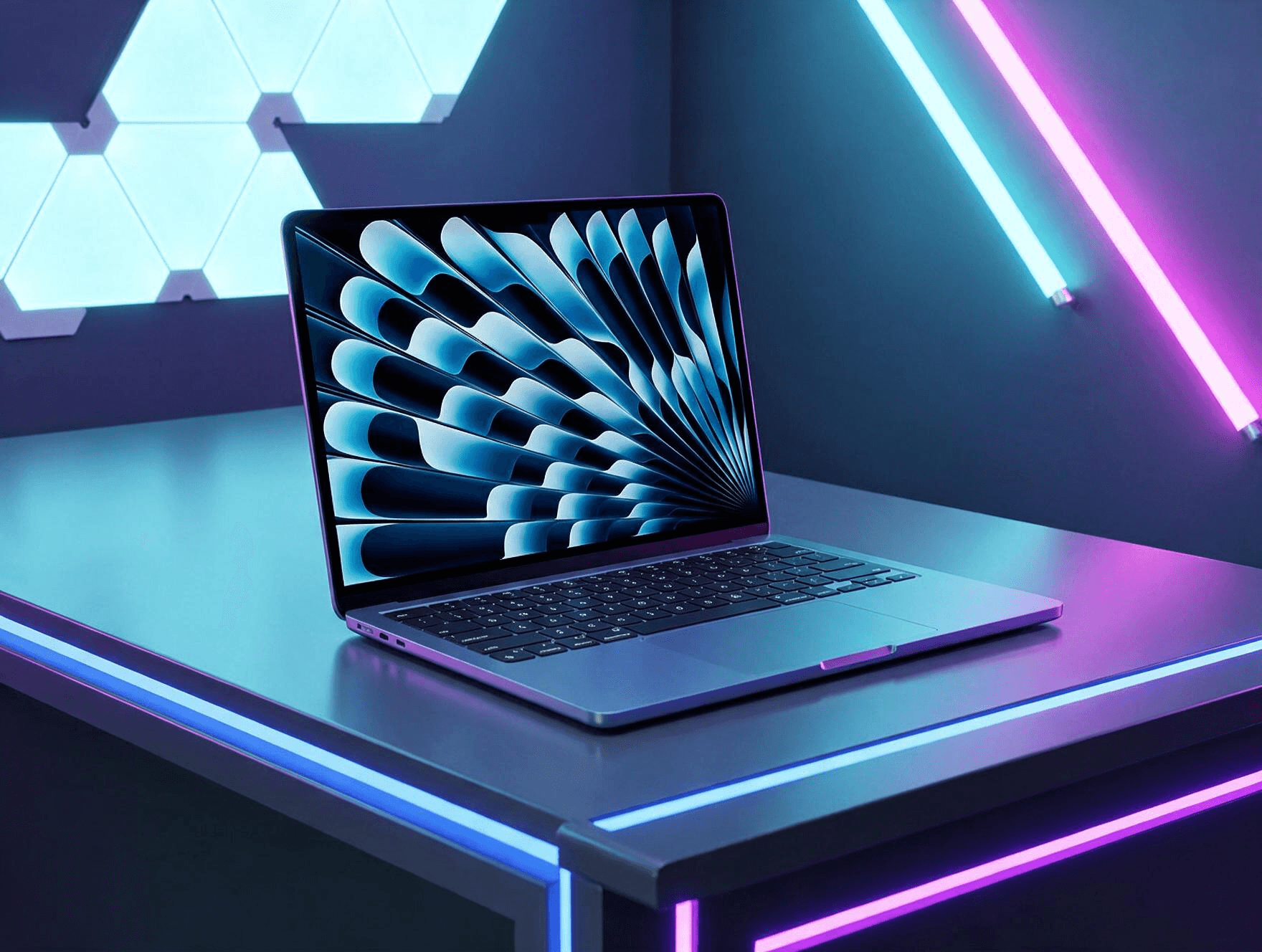
Nothing here will surprise anyone who's owned a MacBook Air in the last few years. Same aluminum build. Same thin-and-light profile. Two sizes, 13.6 inches and 15.3 inches, both feeling premium the moment you pick them up.
Four colors are available: Sky Blue, Silver, Starlight, and Midnight. The Sky Blue model looks genuinely nice in person, though a bolder color option would've been welcome.
The keyboard remains excellent. Key travel feels right, spacing is comfortable, and typing for hours doesn't wear on your hands. Apple's Force Touch trackpad sits underneath, technically a step above what the Neo offers, though in daily use that gap barely registers.
Weight stays impressively low too, with the 13-inch model coming in around 1.23 kilograms. That's easy to toss in a bag and forget about, which matters more than most spec sheets suggest.
Is any of this exciting? Not particularly. But the MacBook Air didn't need a redesign. It needed the same reliable formula with a faster chip inside, and that's exactly what Apple delivered.
Performance
The M5 chip is where this generation actually earns its upgrade. It runs a 10-core CPU, split between four performance cores and six efficiency cores, alongside an 8-core GPU and a 16-core Neural Engine. Memory bandwidth jumps 28 percent over the previous chip, hitting 153GB/s.
SSD speeds see a bigger leap. Storage now runs roughly twice as fast as the M4 generation, which matters for anyone moving large files or working with media libraries.
Real-world impact depends heavily on what you're upgrading from. Coming from an M1 or M2 MacBook Air, the jump feels substantial. Everything from app launches to exporting video happens noticeably faster. Coming from an M4, though, the gains feel more modest. Still real, just less dramatic.
For typical daily work, the MacBook Air handles Adobe Lightroom edits, video calls, dozens of browser tabs, and long writing sessions without any strain. One tester spent a full week using it as their only work machine, replacing a Windows laptop entirely, and found it handled everything short of heavy video editing with ease.
Fan noise isn't a concern either, since the MacBook Air stays completely fanless. Even under sustained workloads, it runs silently.
Display and Everyday Use
The Liquid Retina display hasn't changed much, and that's mostly fine. Colors look accurate, text stays sharp, and video content looks genuinely good on both screen sizes. The bigger 15-inch panel works especially well for anyone splitting their time between writing and watching content side by side.
One notable gap remains. There's no ProMotion, so refresh rate stays capped well below what gaming laptops or even some rivals offer. For general productivity, most people won't miss it. For anyone doing fast-scrolling creative work, it's worth knowing before you buy.
Speakers have improved slightly too. They get reasonably loud, offer some spatial separation, and handle casual music or podcast listening fine. They're a clear step up from what the cheaper MacBook Neo offers, even if they won't replace a proper speaker setup.
Battery life is where the MacBook Air continues to shine. Apple claims up to 18 hours, and real-world testing generally supports that figure for typical productivity work. Writing, browsing, video calls, and streaming rarely push battery anxiety into the conversation at all.
Port selection stays minimal, as always. No built-in HDMI, no SD card slot. If your workflow depends on those, a dongle stays mandatory.
Price and Positioning
This is where things get genuinely more complicated than past MacBook Air reviews. Pricing has climbed to $1,099, roughly $100 more than the previous generation. That also puts it about $500 above Apple's new MacBook Neo.
That price jump changes the calculation. The MacBook Air used to be Apple's entry point into MacOS. Now that role belongs to the Neo, and the Air has shifted toward a more capable, work-focused position instead.
For most casual users, students, or anyone mainly handling documents and browsing, the Neo might genuinely be enough, and considerably cheaper. The MacBook Air makes more sense for people who need more consistent multitasking headroom, heavier creative work, or simply want the better keyboard, trackpad, and speakers that come with paying more.
Anyone considering serious video editing or CAD work should look further up, toward the MacBook Pro instead. The Air still isn't built for that kind of sustained, heavy workload.
Conclusion
The MacBook Air remains an easy laptop to recommend, even with its new higher price and a cheaper sibling nipping at its heels. The M5 chip delivers a real, if uneven, performance boost depending on what you're upgrading from, and everyday usability still feels close to unmatched among ultraportables.
It's not thrilling. It's not dramatically different from what came before. But for most people who want a reliable, fast, all-day laptop without stepping up to Pro-level pricing, the MacBook Air still earns its spot as the MacBook most people should actually buy.